Introduction
Every SMS message from a customer carries valuable emotion — satisfaction, frustration, urgency, or curiosity. Reading each one manually isn’t practical, especially when your business handles hundreds of messages a day. That’s where DataFlows SMS + Zapier changes the game.
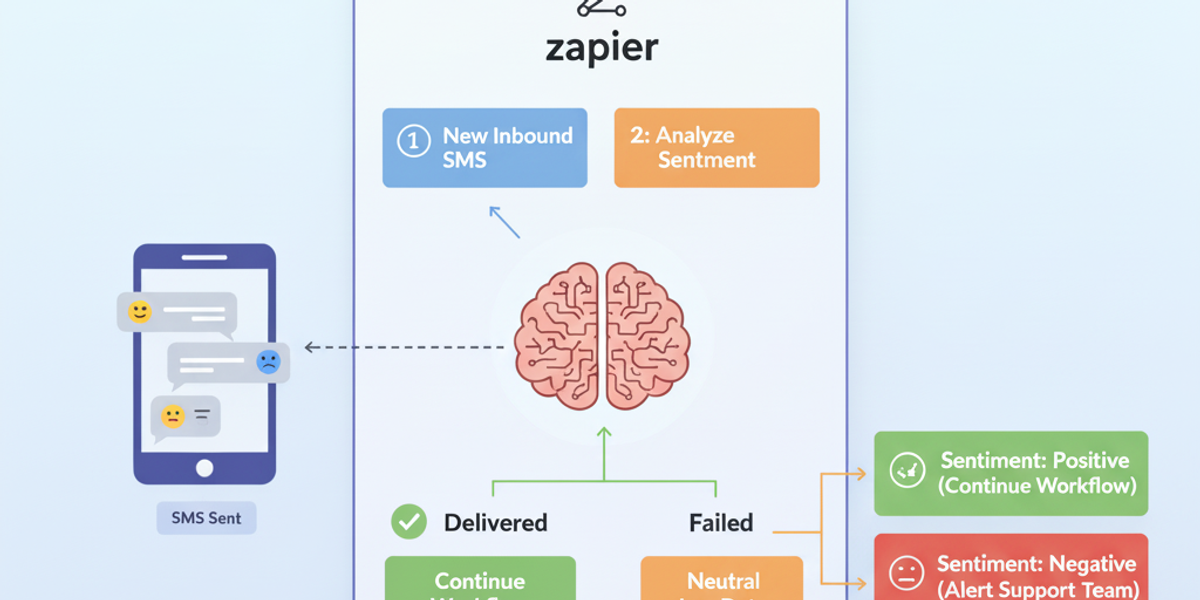
With the “Analyze SMS Sentiment With AI” action, you can automatically interpret how your customers feel based on the language in their SMS messages. The integration uses natural language processing (NLP) to analyze tone and emotion — categorizing each message as Positive, Negative, or Neutral, along with a confidence score and emotional tags.
This powerful AI automation helps you prioritize customer support, route urgent issues, and even track customer satisfaction over time — all without lifting a finger.
🔧 Connecting Your DataFlows Account to Zapier
Before you begin creating your Zap, make sure you have an active DataFlows account and your API token ready:
Log in to your DataFlows Dashboard.
Go to the Developer section and copy your API Token.
In Zapier, connect your DataFlows SMS account using that API token.
Once connected, Zapier can securely send and receive data from DataFlows — enabling you to run AI sentiment analysis automatically whenever messages are received or sent.
What This Feature Does
The “Analyze SMS Sentiment With AI” action in Zapier enables DataFlows users to instantly analyze the tone and emotion of any message.
From the official Zapier integration listing:
“Use AI to automatically analyze the sentiment of SMS messages (Positive, Negative, Neutral). Returns sentiment, confidence score, emotion, and tone. Perfect for routing angry customers to priority support or flagging urgent issues.”
This action can be added to any Zap as a post-processing step. For example, after receiving an SMS (trigger), you can pass that message into this AI action to get a sentiment report.
⚙️ How to Set It Up
In Zapier, create a new Zap.
Choose DataFlows SMS as your Trigger App (e.g., “New SMS Received” or “Keyword Matched in SMS”).
Add an Action Step → choose “Analyze SMS Sentiment With AI.”
When prompted, connect your DataFlows account using your API token.
Map the message text field from your trigger to this action.
Test the Zap — you’ll receive an output with:
Sentiment: Positive / Negative / Neutral
Confidence Score: e.g., 0.93 (high certainty)
Emotion: e.g., Anger, Joy, Sadness
Tone: e.g., Polite, Urgent, Frustrated
Use that data in your next action — such as filtering, tagging, or notifying your support team.
Example Use Cases
Customer Support Prioritization Automatically detect angry or frustrated messages and route them to your priority support queue in tools like Zendesk or Freshdesk.
Marketing Sentiment Tracking Log sentiment data in Google Sheets or Airtable to measure customer happiness over time or after campaigns.
Automated Follow-Ups If a customer’s tone is positive, send a “Thank you” SMS; if negative, trigger a personal follow-up from your support team.
AI-Driven Insights Combine DataFlows’ sentiment output with your CRM or analytics platform to track emotional trends and service performance.
Why This Matters
Modern businesses can’t afford to guess what their customers are feeling. AI-driven sentiment analysis gives you the visibility and speed that manual reviews can’t match. With DataFlows + Zapier:
You save hours of manual review.
You never miss a frustrated customer.
You can automate empathy — delivering the right response, at the right time.
This feature combines the best of automation and AI to make your SMS workflows smarter and more human-aware.
Looking Ahead
The future of messaging automation is intelligence — not just delivery. As DataFlows expands its AI capabilities, features like sentiment analysis will work alongside categorization, intent detection, and auto-responses, giving businesses deeper insight into every customer interaction.
Integrating this today sets you up for the next generation of AI-powered customer communication.
Conclusion
The Analyze SMS Sentiment With AI action brings emotional intelligence to your SMS automation. Whether you’re managing customer feedback, monitoring satisfaction, or prioritizing support tickets, this integration helps you respond faster and smarter.
Get started today by connecting your DataFlows SMS account to Zapier, and let AI uncover the true voice behind every message.