Email to SMS with DataFlows
Send SMS from Outlook & Gmail
Compose an email and have it delivered as an SMS. Fast setup with authenticated sender emails and flexible sender ID control. Perfect for customer support teams and automated systems.
Simple Setup, Powerful Results
Configure Email to SMS in minutes with our intuitive interface. Choose your sender identity, authorize your email account, and start sending SMS messages directly from your existing email client.
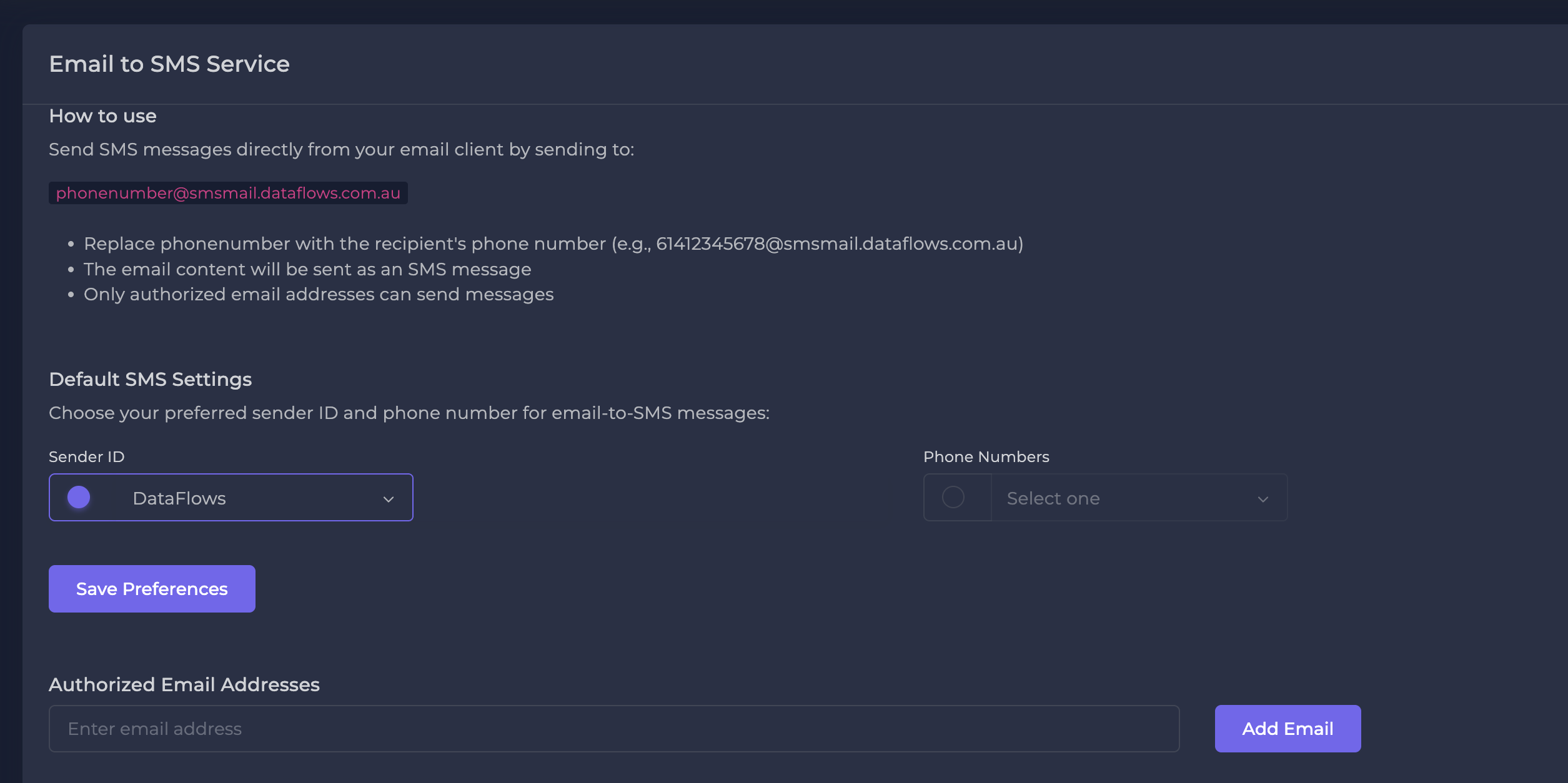
How Email to SMS Works
Transform your email workflow into SMS communication in 4 simple steps
Authorize Email Account
Connect your Outlook or Gmail account using secure OAuth. No passwords shared.
Configure Settings
Choose your sender ID and set up email address authorization in DataFlows dashboard.
Compose & Send
Write your email to [email protected] and it's delivered as SMS.
Track Delivery
Monitor delivery status, costs, and responses in real-time through your dashboard.
Powerful Email to SMS Features
Everything you need to bridge email and SMS communication effectively
OAuth-based Integration
Secure authentication with Outlook and Gmail using OAuth tokens. No need to share passwords or compromise security. Refresh tokens ensure continuous connectivity.
Sender ID Control
Select and validate sender IDs for consistent branding. Choose from alphanumeric IDs or dedicated numbers based on your region and carrier requirements.
Smart Message Handling
Automatic character counting and segmentation preview. Handle long messages intelligently with continuation indicators and cost estimates before sending.
Delivery Tracking
Real-time delivery receipts and retry logic for failed deliveries. Comprehensive logs with searchable message history and CSV export for reporting.
Perfect for Every Business Need
From customer support to automated notifications, Email to SMS adapts to your workflow
Customer Support Teams
Reply to customers via email threads and have responses delivered as SMS for urgent matters
Automated Notifications
Convert existing email alerts (order confirmations, shipping updates) into SMS for better visibility
Marketing Campaigns
Repurpose email marketing content for SMS campaigns with higher open rates
System Monitoring
Turn server alerts and monitoring notifications into immediate SMS alerts to on-call staff
Get Started in Minutes
Set up Email to SMS integration with your existing email client quickly and securely
Configure Sender ID
Register your sender address and choose your SMS sender identity
Send First SMS
Compose an email to our gateway address and watch it convert to SMS
Monitor Results
Track delivery status and costs in your DataFlows dashboard
Simple, Transparent Pricing
Frequently Asked Questions
Which email providers are supported?
We currently support Microsoft Outlook (including Office 365) and Gmail. Both personal and business accounts are supported with secure OAuth authentication.
How does the email to SMS gateway work?
You send an email to a special gateway address ([email protected]) and we convert it to SMS. Only authorized email addresses can send messages, ensuring security.
Can I use my company's sender ID?
Yes! You can configure custom alphanumeric sender IDs (where regulations permit) or use dedicated virtual numbers to maintain your brand identity in SMS messages.
What happens if my email is too long for SMS?
Long messages are automatically segmented into multiple SMS messages. You'll see a character count and cost estimate before sending, and can preview how the message will be split.
How secure is the OAuth integration?
We use industry-standard OAuth 2.0 authentication. We never store your email passwords, only secure access tokens that can be revoked at any time from your email provider's security settings.
Ready to Bridge Email and SMS?
Join businesses using DataFlows Email to SMS to reach customers instantly from their existing email workflow