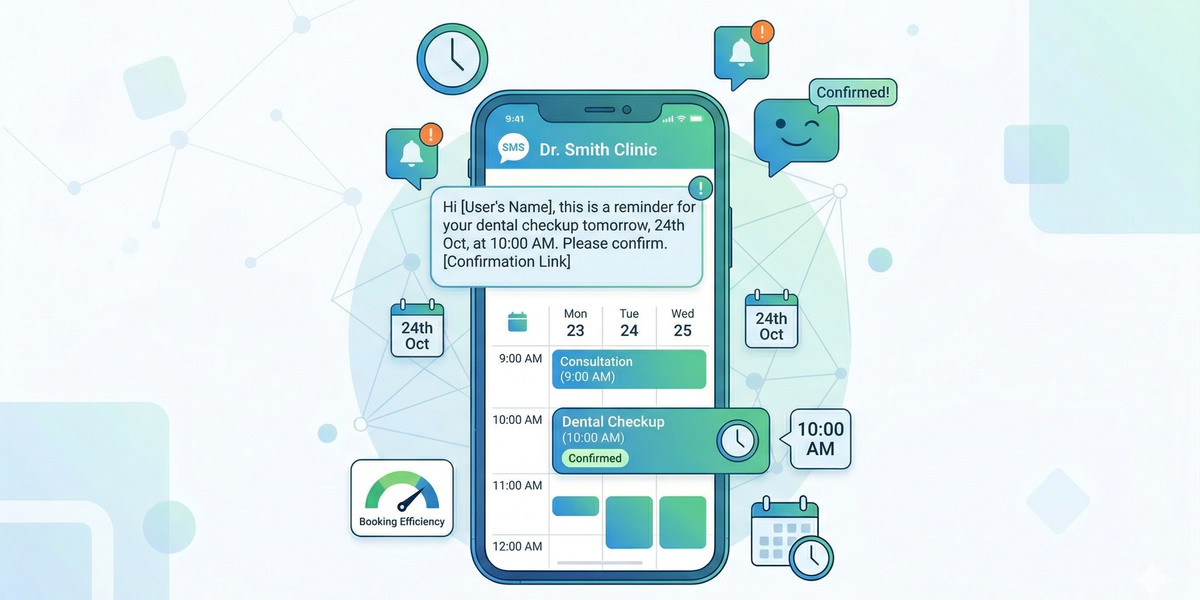
Missed appointments can cost businesses time, money, and efficiency. Whether you run a medical clinic, salon, real estate agency, or service-based business, appointment no-shows are a common challenge.
Appointment reminder SMS messages are one of the most effective ways to reduce no-shows and keep customers informed.
In this guide, we’ll share proven SMS templates and show how businesses can automate appointment reminders using DataFlows.
Why Use SMS for Appointment Reminders?
SMS is ideal for reminders because:
• Messages are read within minutes • Customers always have their phones • No apps or internet required • Quick and direct communication
SMS ensures your reminder is seen before the appointment.
Benefits of Appointment Reminder SMS
Using SMS reminders helps businesses:
• Reduce missed appointments • Improve customer attendance • Save staff time on manual calls • Improve customer experience • Increase operational efficiency
Appointment Reminder SMS Templates
Here are some effective templates you can use:
Basic Reminder
“Hi {name}, this is a reminder of your appointment on {date} at {time}.”
Confirmation Reminder
“Hi {name}, your appointment is scheduled for {date} at {time}. Reply YES to confirm.”
Friendly Reminder
“Just a quick reminder, {name}! You have an appointment tomorrow at {time}. See you soon.”
Same-Day Reminder
“Reminder: Your appointment is today at {time}. Please contact us if you need to reschedule.”
Reschedule Option
“Hi {name}, your appointment is on {date} at {time}. Reply to reschedule if needed.”
Best Practices for Appointment SMS
To get the best results:
• Send reminders 24 hours before the appointment • Send a second reminder on the same day • Keep messages short and clear • Include key details (date, time, location) • Allow confirmation or rescheduling
Automating Appointment Reminders
With DataFlows SMS, businesses can automate reminders by:
• Scheduling SMS messages • Integrating with booking systems • Using APIs or Zapier • Triggering messages based on appointments
Automation removes manual work and ensures consistency.
Using Contact Lists for Appointments
Organise customers into lists such as:
• Upcoming Appointments • Confirmed Bookings • Follow-Up Appointments
This helps manage communication and send targeted reminders.
Personalising Reminder Messages
Use tags like:
• {name} • {date} • {time} • {service}
Example:
“Hi {name}, your {service} appointment is booked for {date} at {time}.”
Personalisation improves engagement and professionalism.
Industries That Benefit from Appointment SMS
Appointment reminders are widely used in:
• Medical clinics • Dental clinics • Real estate agencies • Salons and spas • Fitness and personal training • Consulting and professional services
Conclusion
Appointment reminder SMS messages are a simple but powerful way to reduce no-shows and improve business efficiency.
With DataFlows SMS, businesses can automate reminders, personalise messages, and ensure customers never miss an appointment again.