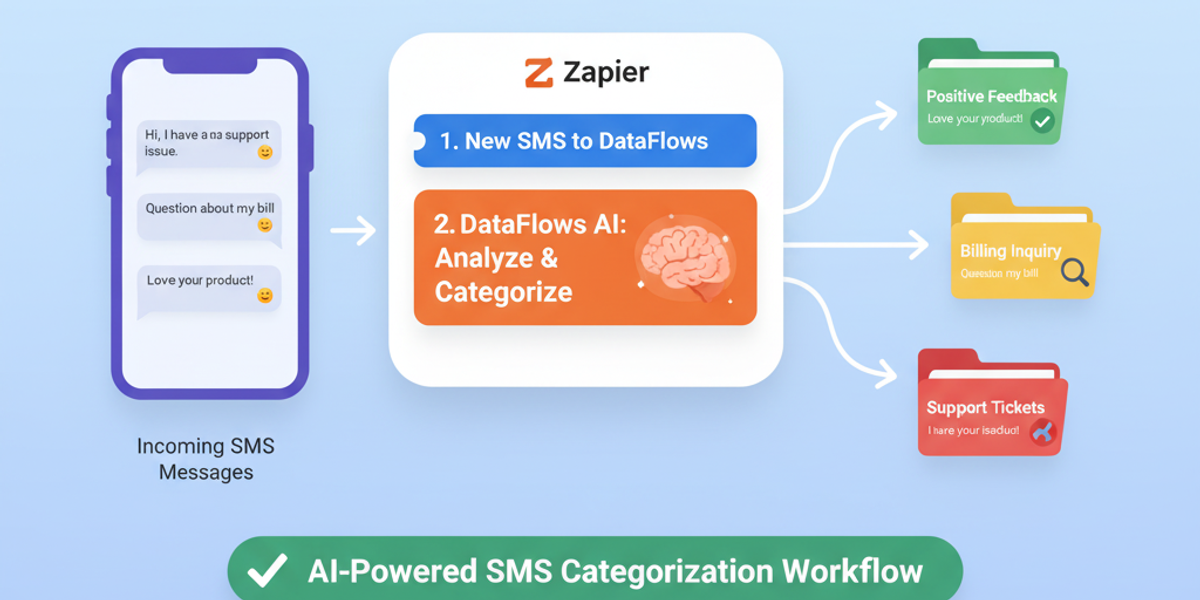
Introduction Managing a high volume of incoming SMS messages can be challenging, especially when messages cover multiple topics like support requests, billing inquiries, or delivery issues. The Categorize SMS With AI feature in DataFlows SMS + Zapier automatically classifies messages into custom categories, enabling efficient routing and faster response times.
🔧 Connecting Your DataFlows Account to Zapier Before setting up automation:
Log in to your DataFlows dashboard.
Copy your API Token from the Developer section.
Connect your DataFlows SMS account to Zapier using the API token.
Once connected, Zapier can automatically categorize incoming SMS messages and trigger downstream workflows based on the category.
What This Feature Does The Categorize SMS With AI action allows you to:
Analyze incoming SMS messages using AI.
Automatically assign messages to predefined categories, such as Delivery Issue, Support Request, or Billing Question.
Optionally include descriptions for each category for better context.
Trigger Zapier workflows depending on the category, such as sending alerts, creating tickets, or updating databases.
Why It Matters for Business
Efficient routing — Automatically send messages to the right team without manual sorting.
Time-saving automation — Reduce human error and administrative overhead.
Improved customer experience — Messages are addressed quickly by the correct department.
Scalable operations — Easily handle growing volumes of incoming SMS without additional resources.
How to Set It Up
Create a new Zap in Zapier.
Select DataFlows SMS as the action app.
Choose Categorize SMS With AI as the action event.
Connect your DataFlows account using your API token.
Specify the message to categorize (usually the incoming SMS text).
Define the categories for sorting messages, e.g., Support, Billing, Delivery.
Optionally provide category descriptions for context.
Add downstream actions depending on the category, such as:
Send Slack notifications to the appropriate team channel.
Create tickets in your CRM or support platform.
Update Google Sheets or database with categorized entries.
Test the Zap and turn it on.
Once active, all incoming messages will be analyzed and routed automatically according to your AI categorization setup.
Real-World Example Use Case A company receives SMS messages from customers regarding deliveries, support requests, and billing questions:
The AI categorizes each message automatically.
Messages tagged Support Request are routed to the customer service team.
Billing Question messages trigger alerts to the finance team.
Delivery Issue messages go directly to operations for quick resolution.
Looking Ahead: Automation & AI
Combine with Keyword Matched in SMS and New SMS Received for multi-step automation.
Use AI insights to identify trends or common issues in SMS communications.
Create fully automated customer support and alerting pipelines that scale with your business.
Conclusion Categorize SMS With AI in DataFlows SMS + Zapier ensures messages are routed correctly, reduces manual workload, and improves response times. Automate categorization and workflow triggers to save time, increase efficiency, and deliver a better customer experience.
👉 Start categorizing your SMS messages automatically today by connecting DataFlows SMS to Zapier and setting up AI-driven workflows.