Introduction
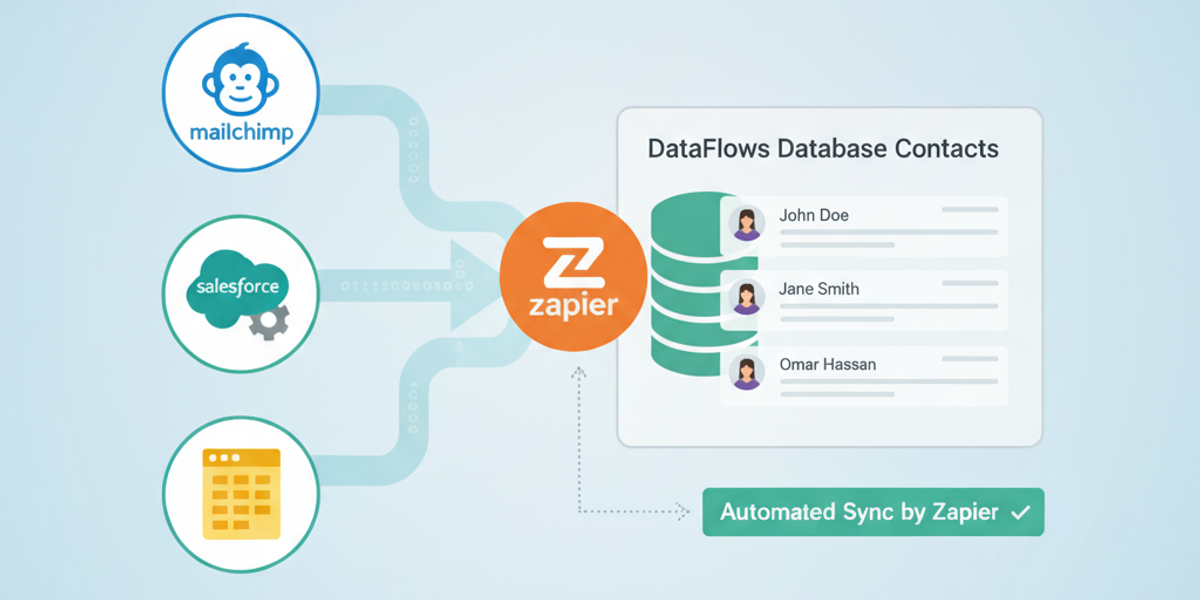
Manually adding new leads or customers to your SMS marketing lists can quickly become unmanageable. With the DataFlows SMS “Create Contact” Zapier action, you can automate this process entirely — ensuring every new form submission, CRM record, or lead instantly becomes a DataFlows contact ready for messaging.
Whether you’re running eCommerce campaigns, collecting sign-ups through your website, or capturing event attendees, this automation ensures your contact database stays up to date and segmented for targeted SMS communication.
Connecting Your DataFlows Account to Zapier
Before setting up this Zap, make sure you have an active DataFlows account and access to your API token:
Log in to your DataFlows Dashboard.
Navigate to the Developer section.
Copy your API Token.
In Zapier, connect your DataFlows SMS account using this token.
Once connected, you can securely create, update, and manage contacts in your DataFlows account directly from other apps.
What This Feature Does
The “Create Contact” action allows you to automatically add new contacts to your DataFlows account and assign them to a specific contact group. This enables streamlined list management and segmentation for campaigns.
From the Zapier listing:
“Creates a new contact and adds them to a contact group.”
That means any time a new lead, signup, or form submission occurs in your connected apps, Zapier can push that data straight into DataFlows — no manual importing or spreadsheet uploads needed.
How to Set It Up
Create a new Zap in your Zapier dashboard.
Select the Trigger App where your new contact originates (for example: HubSpot, Shopify, Facebook Lead Ads, or Typeform).
Add an Action Step and choose DataFlows SMS → Create Contact.
Connect your DataFlows account using your API token.
Map the relevant fields (name, phone number, email, group name, etc.) from your trigger app.
Test your Zap to ensure the contact appears correctly in your DataFlows contact list.
Publish the Zap.
Every time a new record appears in your source app, a contact will automatically be created and grouped inside DataFlows.
Example Use Cases
Lead Capture Automation Add new leads from Typeform, Gravity Forms, or Facebook Lead Ads directly into your “Newsletter Subscribers” contact list.
CRM Synchronization When a new deal or contact is created in HubSpot, Salesforce, or Zoho CRM, instantly sync it to DataFlows to receive SMS updates or promotions.
Event Registrations Use Eventbrite or Google Forms submissions to create a segmented group in DataFlows, such as “Conference Attendees 2025”.
eCommerce Post-Purchase Lists Add customers who complete an order in Shopify or WooCommerce into your “Recent Buyers” list for follow-up SMS campaigns.
Why This Matters
Segmentation is the heart of successful SMS marketing. With automated contact creation, your lists stay clean, current, and targeted. This saves hours of manual work, reduces errors, and ensures your campaigns always reach the right audience.
By combining Zapier’s automation with DataFlows’ contact grouping and tagging features, you can maintain a dynamic database that grows and organizes itself automatically.
Looking Ahead
The Create Contact action is just the start. Future updates to DataFlows and Zapier will enhance how contacts can be tagged, updated, or scored — making it even easier to build smart, automated customer journeys powered by SMS.
This feature ensures your contact management is seamless today, and ready for advanced personalization tomorrow.
Conclusion
With the Create Contact action in DataFlows + Zapier, you can turn any customer touchpoint into an automated entry in your marketing list. No spreadsheets. No manual uploads. Just seamless, instant contact creation from any app you use.
Start building your smart, connected SMS contact lists today — connect your DataFlows SMS account with Zapier and let automation handle the rest.