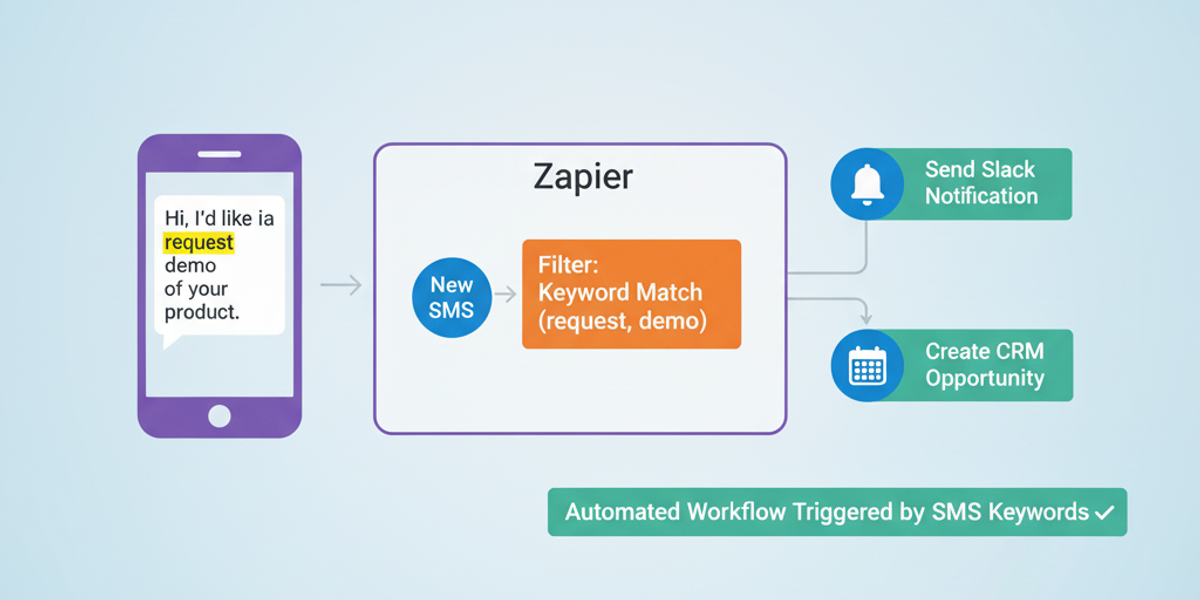
Introduction Managing incoming SMS messages can be challenging, especially when you want to respond or route them based on specific content. With the DataFlows SMS + Zapier integration, you can automatically trigger workflows whenever an SMS contains a certain keyword or phrase. This ensures important messages are handled immediately, without manual intervention.
🔧 Connecting Your DataFlows Account to Zapier Before you start:
Log in to your DataFlows dashboard.
Copy your API Token from the Developer section.
Connect your DataFlows SMS account to Zapier using the API token.
Once connected, your Zaps can instantly react to incoming SMS messages with specific keywords.
What This Feature Does The “Keyword Matched in SMS” trigger allows you to:
Detect when a specific keyword or phrase appears in an incoming SMS.
Optionally specify which virtual number should listen for that keyword.
Trigger downstream workflows in Zapier — sending alerts, responding automatically, or updating records.
Why It Matters for Business Keyword triggers are useful because they:
Automate responses — Automatically reply to messages that match certain keywords, such as “HELP,” “ORDER,” or “SUPPORT.”
Prioritize urgent messages — Route critical messages to the right team instantly.
Improve operational efficiency — Reduce manual monitoring and response times.
Enhance customer experience — Ensure inquiries are addressed promptly.
How to Set It Up
Create a new Zap in Zapier.
Select DataFlows SMS as the trigger app.
Choose Keyword Matched in SMS as the trigger event.
Connect your DataFlows account using your API token.
Enter the keyword(s) you want to monitor.
(Optional) Specify the virtual number that should listen for the keyword.
Add downstream actions, such as:
Send a Slack alert to your support team.
Auto-reply to the sender with a confirmation message.
Log the message into Google Sheets or CRM for auditing.
Test the Zap and turn it on.
From now on, any incoming SMS that matches your keyword will automatically trigger the workflow.
Real-World Example Use Case A customer support team wants to automatically respond to urgent queries that contain the word “HELP.”
A new SMS arrives: “HELP, I cannot access my account.”
Zapier detects the keyword “HELP” and triggers a workflow.
The support team receives an instant Slack notification, and an automated acknowledgment message is sent to the customer.
The message is logged for tracking and analytics.
Looking Ahead: Automation & AI
Combine keyword triggers with AI sentiment analysis to prioritize negative messages first.
Build multi-step workflows: For example, keywords like “ORDER” could trigger inventory checks, while “SUPPORT” messages go directly to customer care.
Dynamically adjust keywords based on campaign needs or seasonal trends.
Conclusion Using the Keyword Matched in SMS feature with DataFlows SMS + Zapier allows you to automate critical workflows, save time, and respond faster to customer messages. Stay proactive, reduce manual tasks, and ensure every important message is acted on instantly.
👉 Get started today by connecting your DataFlows SMS account to Zapier and set up keyword-based triggers for seamless automation.