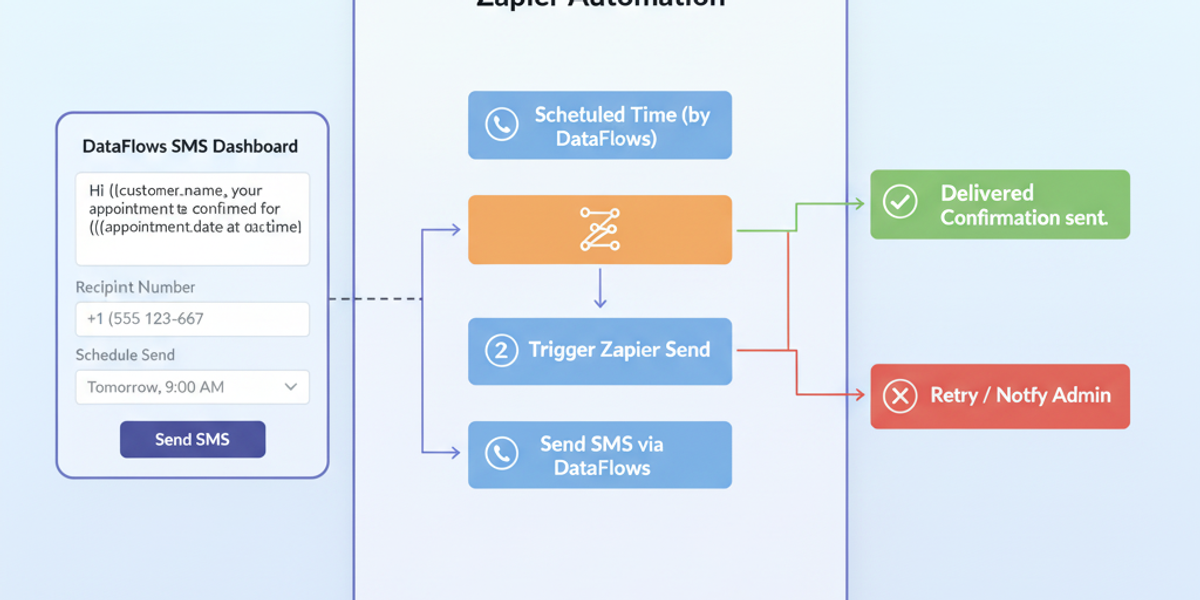
Introduction Whether it’s marketing messages, order updates, or reminders, sending SMS efficiently is crucial for business communication. With the Send SMS action in DataFlows SMS + Zapier, you can automate sending messages to a single recipient immediately or schedule them for later delivery — all without manual intervention.
🔧 Connecting Your DataFlows Account to Zapier Before sending SMS messages:
Log in to your DataFlows dashboard.
Copy your API Token from the Developer section.
Connect your DataFlows SMS account to Zapier using the API token.
Once connected, Zapier can send SMS messages through DataFlows as part of your automated workflows.
What This Feature Does The Send SMS action allows you to:
Send SMS to a single recipient instantly.
Schedule messages for future delivery if needed.
Integrate with multi-step workflows in Zapier for automated notifications, reminders, or confirmations.
Update records or logs in connected apps after sending the message.
Why It Matters for Business
Instant communication — Reach customers immediately with updates or alerts.
Automated workflows — Combine SMS with other actions like CRM updates, notifications, or record logging.
Customer engagement — Send reminders, promotions, or confirmations automatically.
Scheduling flexibility — Plan messages ahead of time for campaigns or time-sensitive notifications.
How to Set It Up
Create a new Zap in Zapier.
Select DataFlows SMS as the action app.
Choose Send SMS as the action event.
Connect your DataFlows account using your API token.
Specify the recipient phone number.
Enter the SMS message content.
(Optional) Set a delivery time if you want to schedule the message.
Add additional workflow actions, such as:
Log the SMS in Google Sheets or CRM.
Send a notification to your team confirming the message was sent.
Test the Zap and turn it on.
From now on, messages will be sent automatically according to your workflow and scheduling settings.
Real-World Example Use Case An eCommerce company wants to send delivery updates:
Order status changes trigger a Zap.
The Send SMS action automatically notifies the customer of the shipment.
SMS details are logged in the CRM for record-keeping.
Customers receive timely updates without manual effort.
Looking Ahead: Automation & AI
Combine with triggers like New SMS Received or Keyword Matched in SMS for two-way automated communication.
Integrate AI-generated responses or predictive scheduling for optimal engagement.
Build fully automated campaigns that send reminders, confirmations, and alerts seamlessly.
Conclusion The Send SMS feature in DataFlows SMS + Zapier enables businesses to communicate instantly, automate workflows, and maintain customer engagement effortlessly. With flexible scheduling and integration options, your messaging is always timely, accurate, and automated.
👉 Start sending SMS automatically today by connecting your DataFlows SMS account to Zapier and configuring your Send SMS workflows.