**TL;DR** Want to send SMS from your app? Integrating an SMS API allows you to automate communication for alerts, verifications, marketing, and more. This guide explains how SMS APIs work, step-by-step integration, and real code examples using Python, PHP, and JavaScript.
What Is an SMS API?
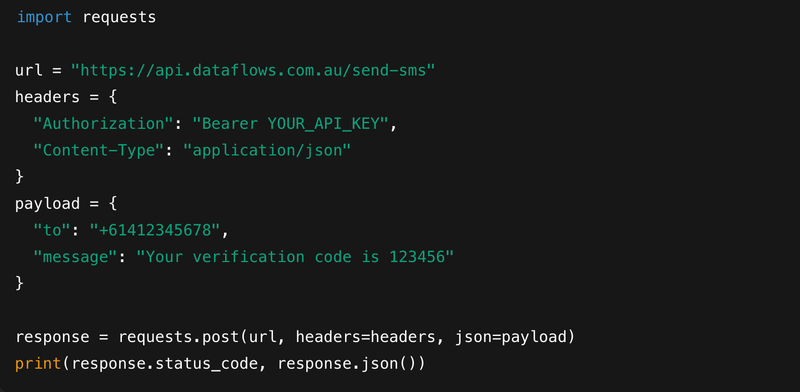
An SMS API lets your app send text messages programmatically — without manual effort. You make a simple HTTP request with your API key, a phone number, and a message.
Why Use an SMS API?
Automation: Instantly trigger SMS from actions (e.g., signups, purchases)
Scalability: Send thousands of texts per minute
Flexibility: Works with most apps, CRMs, and websites
Compliance: Built for Australian laws (ACMA)
Real-Time Tracking: Know when messages are delivered
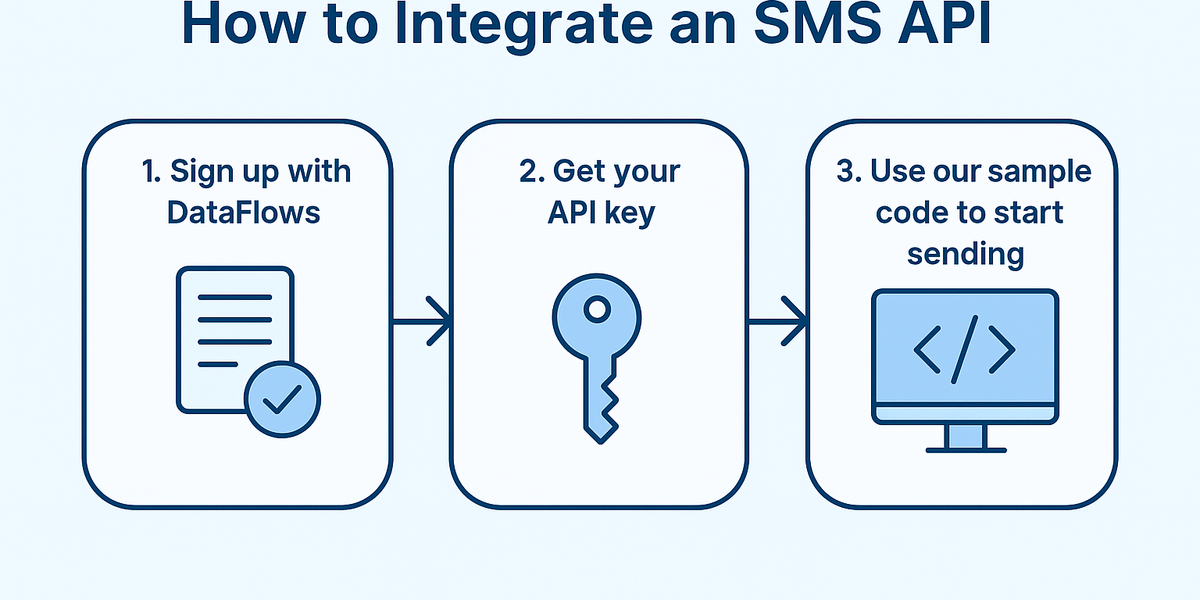
How to Integrate an SMS API (Step-by-Step)
Sign up with DataFlows
Get your API key
Use our sample code to start sending → Python, PHP, Node.js supported
Code Example (Python)
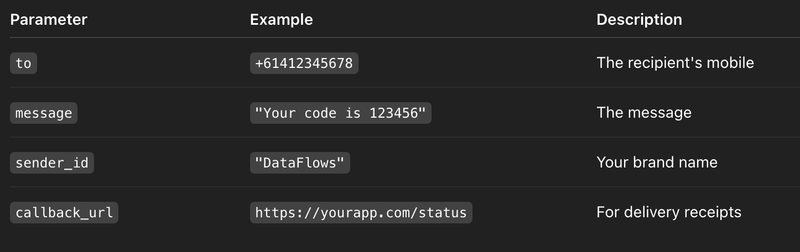
What Parameters Can You Use?
Use Case: Booking App
A fitness app uses SMS to:
Send appointment reminders
Deliver discount codes
Collect feedback with reply tracking
📈 Result: 30% fewer no-shows and better engagement.
FAQs
Q: Do I need to be a developer? No. Our dashboard lets non-technical users send SMS easily. Devs can use our REST API.
Q: Can I send internationally? Yes — DataFlows supports global delivery.
Q: How fast is delivery? Usually under 10 seconds, depending on the network.
Get Started Today
If you need fast, scalable, and reliable SMS from your website or app — try DataFlows. We offer:
Australian compliance
Developer-first tools
Friendly support
Simple onboarding
👉 Start sending SMS with DataFlows – it’s free to test and easy to integrate.