Introduction
SMS marketing is one of the most effective ways to reach your customers instantly — with open rates exceeding 98%. Whether you’re announcing a sale, sending event reminders, or following up with loyal customers, text messages cut through the noise and get results.
With DataFlows, you can create, manage, and send SMS campaigns effortlessly — all from one simple platform. You can build targeted contact lists, personalize your messages with tags, and send entire campaigns in just one click.
Let’s explore how you can use DataFlows SMS to supercharge your business marketing.
Step 1: Create Contact Lists
Organizing your audience is the first step to running successful campaigns. With DataFlows, you can create multiple contact lists based on your marketing goals or audience segments.
For example:
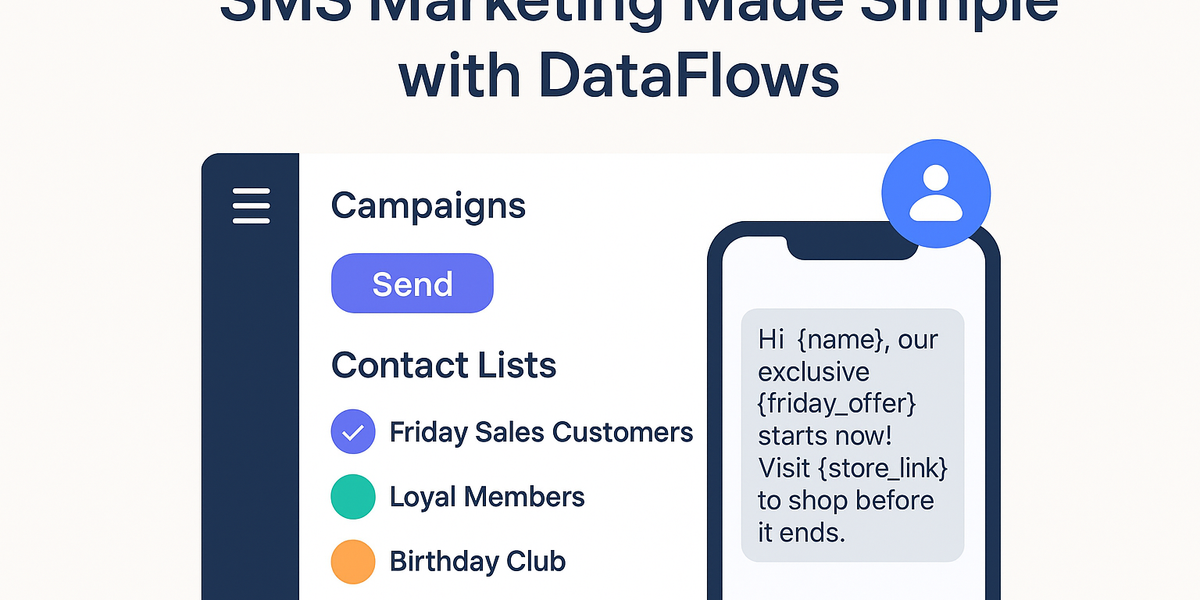
📱 Friday Sales Customers – people who respond best to weekend offers.
🛍️ Loyal Members – customers who have made multiple purchases.
🎂 Birthday Club – customers who receive a special message or discount on their birthday.
📅 Event Attendees – leads collected from expos, webinars, or events.
Each contact list helps you send the right message to the right people at the right time.
Step 2: Personalize Messages with Tags
Personalization increases engagement — and with DataFlows, it’s easy. You can insert tags into your messages to automatically include customer-specific details.
For example, your SMS template might look like this:
Hi {{name}}, our exclusive {{friday_offer}} starts now! Visit {{store_link}} to shop before it ends.
Available tags include:
{{name}} – the customer’s first name
{{email}} – customer email address
{{birthday}} – date of birth
{{custom_fields}} – any other personalized data you’ve added
When the campaign is sent, each message automatically fills in the correct details — creating a personal touch that boosts response rates.
Step 3: Send Campaigns in One Click
Once your contact lists and message templates are ready, sending your campaign is as easy as clicking Send.
From your DataFlows Dashboard, you can:
Select the contact list (e.g., “Friday Sales Customers”)
Choose your sender ID or virtual number
Compose your message or use a saved template
Preview your campaign
Send instantly or schedule it for later
That’s it! Your campaign is sent to hundreds or thousands of customers in seconds — with real-time delivery tracking and reporting.
Step 4: Track Campaign Performance
Every campaign you send with DataFlows provides instant feedback, so you know how well your messages are performing.
You can view:
✅ Delivery rates
📈 Response trends
🕒 Scheduled and sent campaigns
👥 List performance and engagement levels
This insight helps you fine-tune your future messages and maximize ROI.
Use Cases: Real Examples of SMS Marketing with DataFlows
🛍 Retail Promotions Send “Flash Sale” or “New Arrival” notifications to customers who opted into your promotions list.
🎂 Birthday Campaigns Automatically send a personalized birthday message with a special discount.
🏢 B2B Client Updates Keep your business clients informed about service updates or product releases.
📅 Event Reminders Send attendees reminders before an event or thank-you messages afterward.
💬 Customer Feedback Send short survey links after a purchase to gather reviews and feedback.
Why Businesses Choose DataFlows for SMS Marketing
✅ No setup complexity – get started instantly with your dashboard and API. ✅ Scalable plans – from startups to enterprises. ✅ Local support in Australia – real humans, always available to help. ✅ Global delivery – reach customers anywhere in the world.
Conclusion
SMS marketing remains one of the most powerful tools for customer engagement — and with DataFlows, it’s easier than ever to manage.
Create contact lists, personalize your messages with tags, and launch campaigns in one click — all from one platform built for businesses like yours.
👉 Get started with DataFlows SMS Marketing today and start connecting with your customers instantly.